

Brother
Professional
- Messages
- 2,590
- Reaction score
- 544
- Points
- 113
Not all links sent to us, both friends and strangers, are safe. In today's world, there are many means of communication: email, SMS, social media (such as Facebook and Twitter), collaboration apps, and so on. Accordingly, attackers and spammers also have plenty of opportunity to send something malicious. In most cases, the links are safe, but sometimes they are not. However, even isolated incidents can cause a lot of trouble or even lead to disaster.
One of the fastest growing security concerns is ransomware, often spread through malicious links. Other types of malware and phishing sites also pose a serious threat. In this article, we will talk about various link checking services that will make your online experience even more secure and help you avoid a lot of problems.
What a link checking service should be able to do
Let's start by looking at two kinds of URLs:
There are several sites for checking links for malware, and we'll take a look at five of the most popular. We advise you to use several so that you can get the most reliable result.
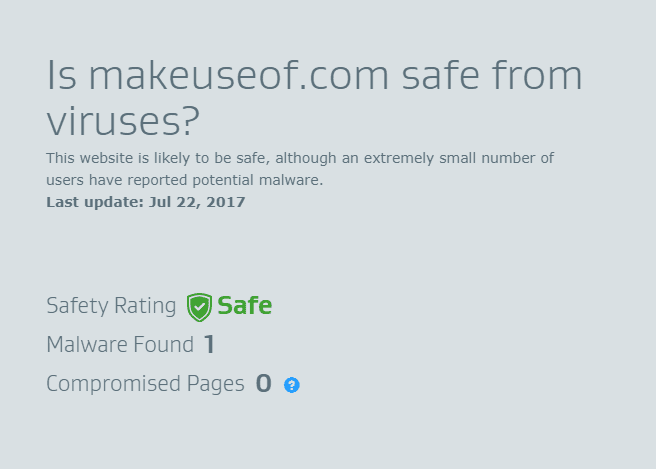
AVG is a notable player in the network security arena and link checking service further solidifies that reputation. It seems that the results of the scan can be trusted, and if you scroll down a little, you can find a list of malicious sites, updated weekly.
Plus, the top 5 sites stand out where the largest number of malware was detected. This does not seem to be the list of where you would like to find one of your favorite sites, is it?
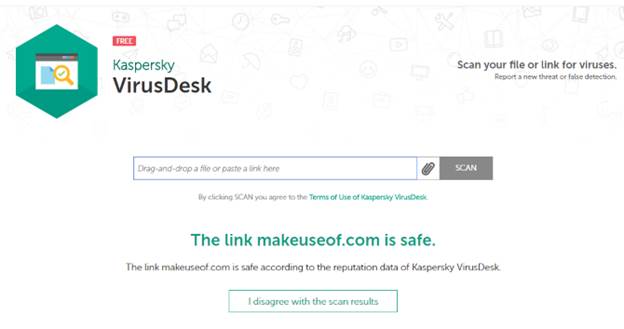
To check the link, enter the URL and click the Scan button. The results will appear pretty quickly. If you disagree with the scan results, click on the "I disagree with the scan results" button. In this case, the company's specialists will consider your situation in more detail and will send the results of their research to the specified e-mail.
3. ScanURL
Another independent service of note is ScanURL, which accepts verification requests over a secure HTTPS connection. Despite the advertisements, the check is carried out fairly well.
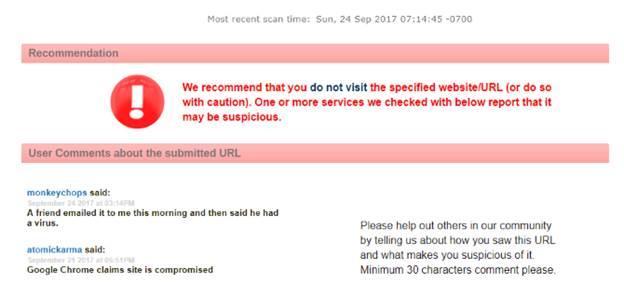
ScanURL queries Google Safe Browsing, PhishTank and Web of Trust (the latter has a tarnished reputation), and also provides Whois information for the specified site. Based on the results of the check, together with recommendations from ScanURL, it becomes clear whether it is worth visiting the site being checked.
ScanURL compares the results of several services, some of which are covered in this article. A permanent URL is attached to the verification results, which you can share with your family and friends. Very comfortably!
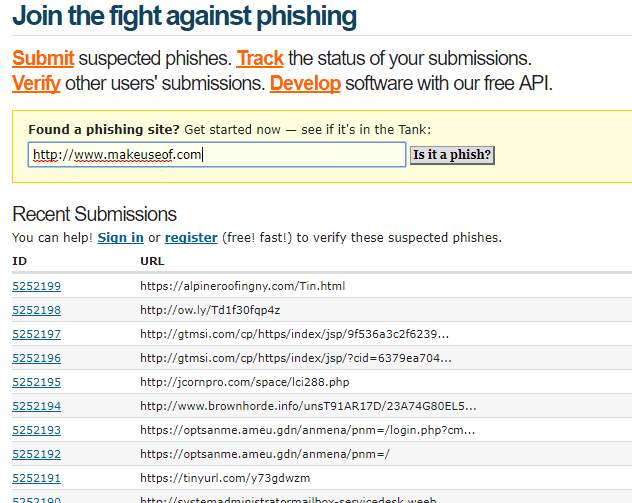
Most of the fraudulent identity theft schemes are based on phishing. Accordingly, it will never be superfluous to check a suspicious link through PhishTank.
You can spend more time and help in the development of the service by sending suspicious links that you do not use. If you have time, why not do a good deed.
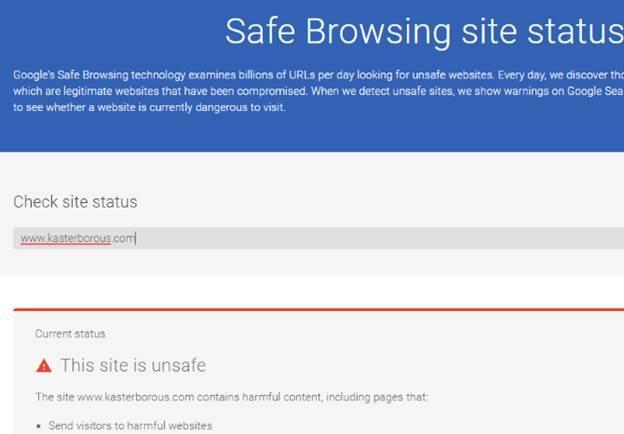
Along with malware, Google Transparency Report reports phishing risks. Concerned about identity theft? Then you should remember that phishing is potentially more dangerous than malware, and you should make sure in advance that the site you are visiting is safe.
Which service should you choose?
There are good services that check links, and there are not so good ones. Do not confuse tools that assess malware and other security risks with services that check for broken links.
You need tools to detect malware and phishing. In addition, there should be an opportunity to share the results with others. It seems to us that the considered five services may well give confidence in the security of the sites you visit.
If you know about other trustworthy tools like this, please share in the comments. We would also be grateful if you tell us about cases when there were adverse consequences (for example, loss or theft of information) after visiting malicious sites.
(c) securitylab.ru
One of the fastest growing security concerns is ransomware, often spread through malicious links. Other types of malware and phishing sites also pose a serious threat. In this article, we will talk about various link checking services that will make your online experience even more secure and help you avoid a lot of problems.
What a link checking service should be able to do
Let's start by looking at two kinds of URLs:
- A standard URL consisting of the site name, prefixed with www., and ending in .com, .net, .org, or any other top-level domain name.
- A short URL like goo.gl/V4jVrx.
There are several sites for checking links for malware, and we'll take a look at five of the most popular. We advise you to use several so that you can get the most reliable result.
1. AVG Threatlabs
AVG Threatlabs is the best service of its kind that allows you to scan all links on a specified site for malware and other threats. All you have to do is enter the URL and wait for the results.
AVG is a notable player in the network security arena and link checking service further solidifies that reputation. It seems that the results of the scan can be trusted, and if you scroll down a little, you can find a list of malicious sites, updated weekly.
Plus, the top 5 sites stand out where the largest number of malware was detected. This does not seem to be the list of where you would like to find one of your favorite sites, is it?
2. Kaspersky VirusDesk
Another popular link checking service is Kaspersky VirusDesk, which can be useful if you trust the security recommendations from a world-renowned company. This is a dual-use product that can check not only links, but also files. The service is very convenient to use. It is enough to copy the link or drag and drop the file into the corresponding field.
To check the link, enter the URL and click the Scan button. The results will appear pretty quickly. If you disagree with the scan results, click on the "I disagree with the scan results" button. In this case, the company's specialists will consider your situation in more detail and will send the results of their research to the specified e-mail.
3. ScanURL
Another independent service of note is ScanURL, which accepts verification requests over a secure HTTPS connection. Despite the advertisements, the check is carried out fairly well.
ScanURL queries Google Safe Browsing, PhishTank and Web of Trust (the latter has a tarnished reputation), and also provides Whois information for the specified site. Based on the results of the check, together with recommendations from ScanURL, it becomes clear whether it is worth visiting the site being checked.
ScanURL compares the results of several services, some of which are covered in this article. A permanent URL is attached to the verification results, which you can share with your family and friends. Very comfortably!
4. PhishTank
Service PhishTank instead of malicious focuses more on the verification of phishing sites. However, the general principle remains the same. After specifying a suspected phishing site, a scan will begin. If the link is already "in the repository", the results will appear immediately. Otherwise, a tracking number will be issued to you. Unfortunately, phishing sites are much more difficult to check than malware.
Most of the fraudulent identity theft schemes are based on phishing. Accordingly, it will never be superfluous to check a suspicious link through PhishTank.
You can spend more time and help in the development of the service by sending suspicious links that you do not use. If you have time, why not do a good deed.
5. Google Transparency Report
Google is probably not the most famous company in the field of caring for your privacy, but Google's Transparency Report service can be useful. As in the previous cases, to check, you need to specify the URL of the suspicious site, and after a few seconds, the results collected by the web spiders will appear.
Along with malware, Google Transparency Report reports phishing risks. Concerned about identity theft? Then you should remember that phishing is potentially more dangerous than malware, and you should make sure in advance that the site you are visiting is safe.
Which service should you choose?
There are good services that check links, and there are not so good ones. Do not confuse tools that assess malware and other security risks with services that check for broken links.
You need tools to detect malware and phishing. In addition, there should be an opportunity to share the results with others. It seems to us that the considered five services may well give confidence in the security of the sites you visit.
If you know about other trustworthy tools like this, please share in the comments. We would also be grateful if you tell us about cases when there were adverse consequences (for example, loss or theft of information) after visiting malicious sites.
(c) securitylab.ru

