

Cloned Boy
Professional
- Messages
- 1,363
- Reaction score
- 1,492
- Points
- 113
Account ban due to the inability to write off the hold from the card is a common problem, especially among beginners, since not everyone can afford to use trusted payment systems.
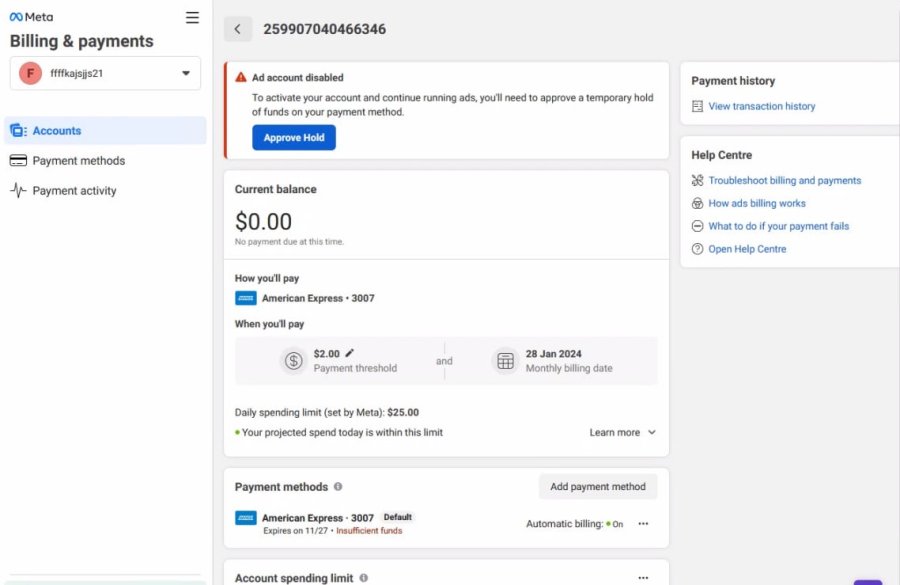
The scheme is, in some ways, quite unusual. Now the hold disappears after creating an ad in Business Suite, and there are several important nuances.
I will write about all these details in more detail:
Since there are a lot of newbies among our users, we will go through this scheme step by step:
1. First, buy an account with BM, no matter whether it is King or autoreg.
2. Go to Business Manager and link the card
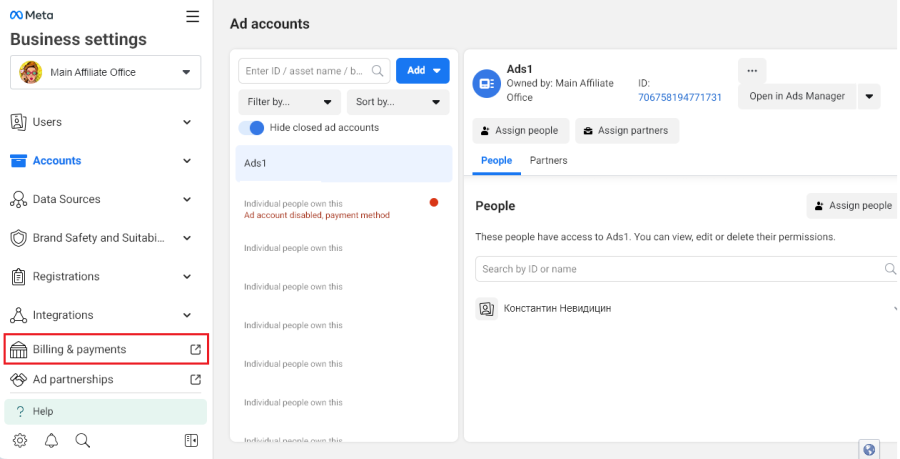
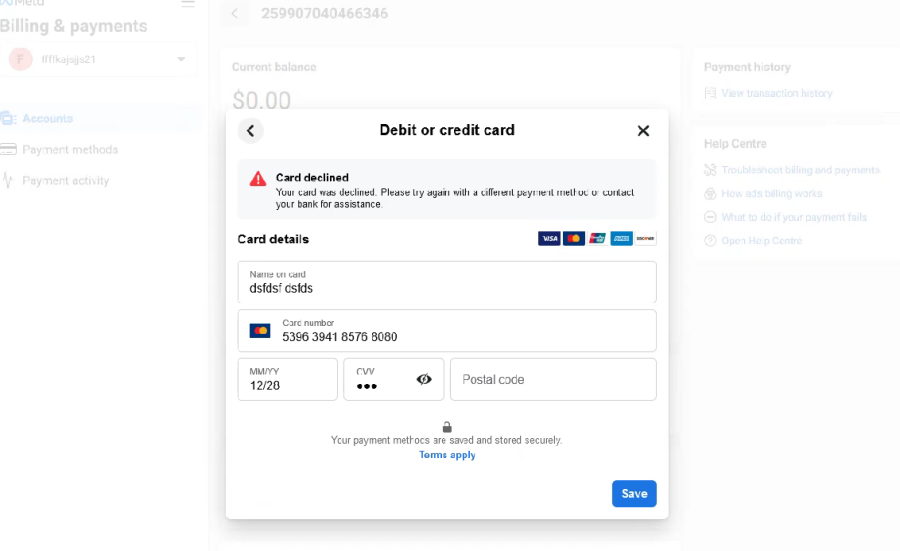
3. Go to the autoreg billing and link the card, we get a rejection
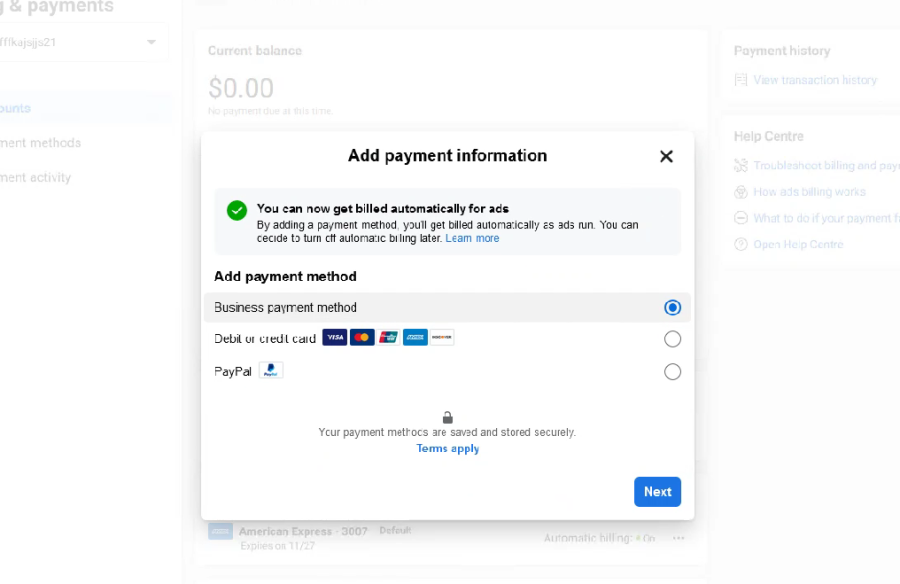
4. Select BM as the main means of payment for the advertising campaign
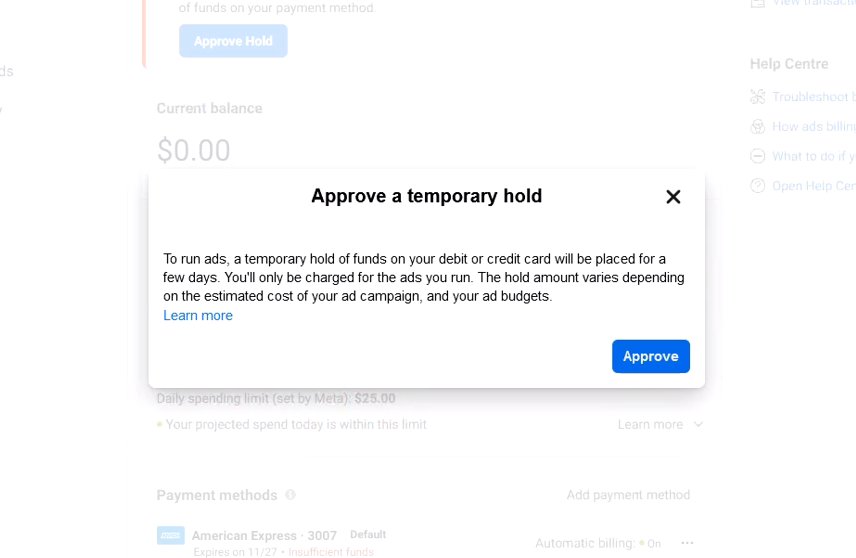
5. Go to the autoreg billing settings and confirm the “Hold Approve” hold, after confirming the hold, wait for the account to be banned for insufficient funds on the card.
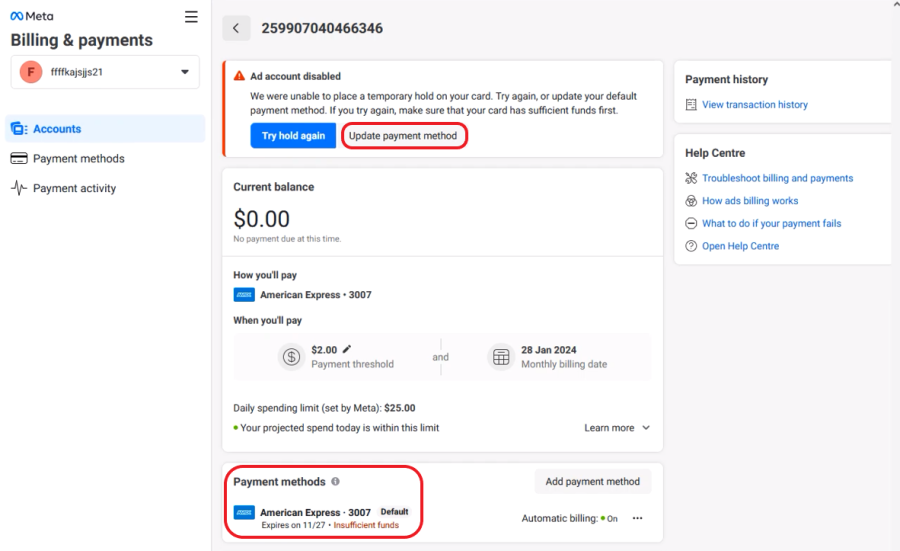
6. Reload the page
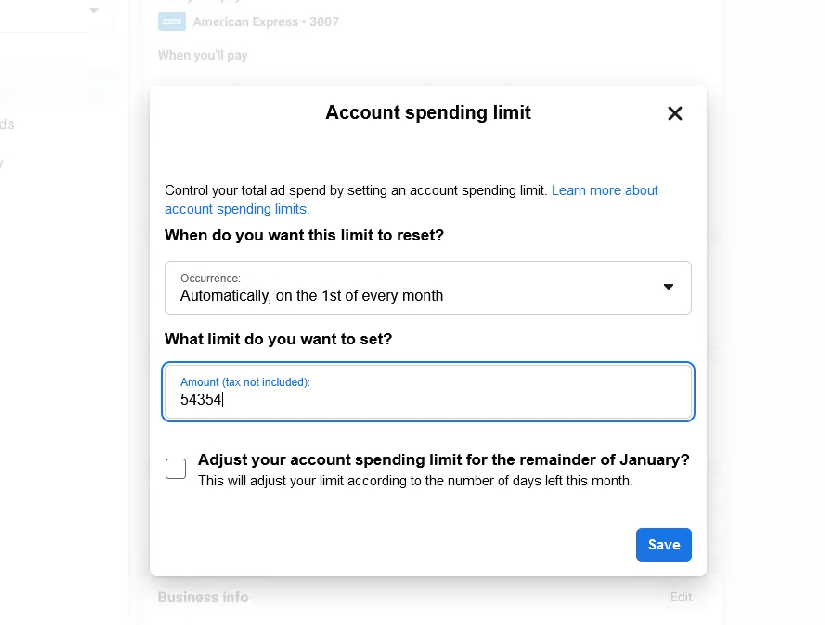
7. In the autoreg billing, we increase the spending limit on the card
8. Go to Business Suite at https://business.facebook.com/latest/home and create a post with a neutral picture.
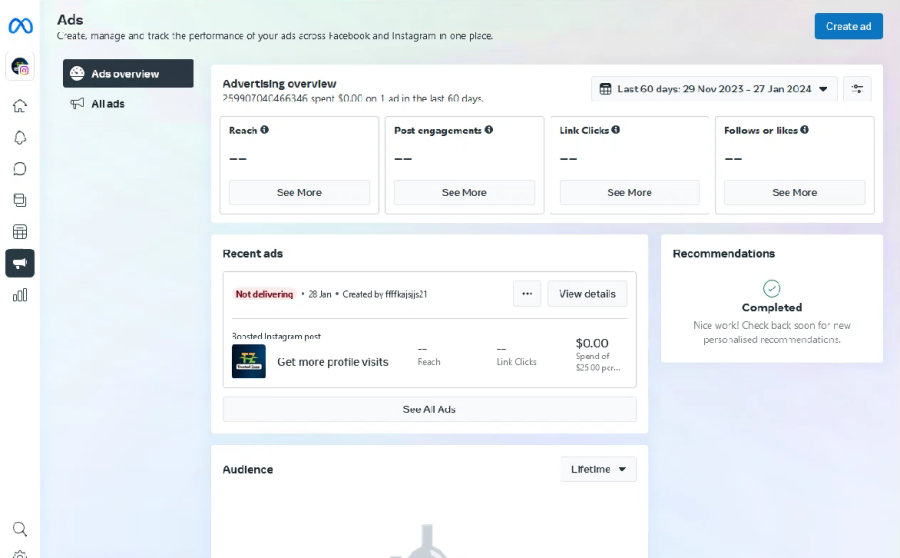
9. Go to https://business.facebook.com/latest/ad_center/ads_summary create a post and select Instagram placement with a budget of $25 per day send the post for review
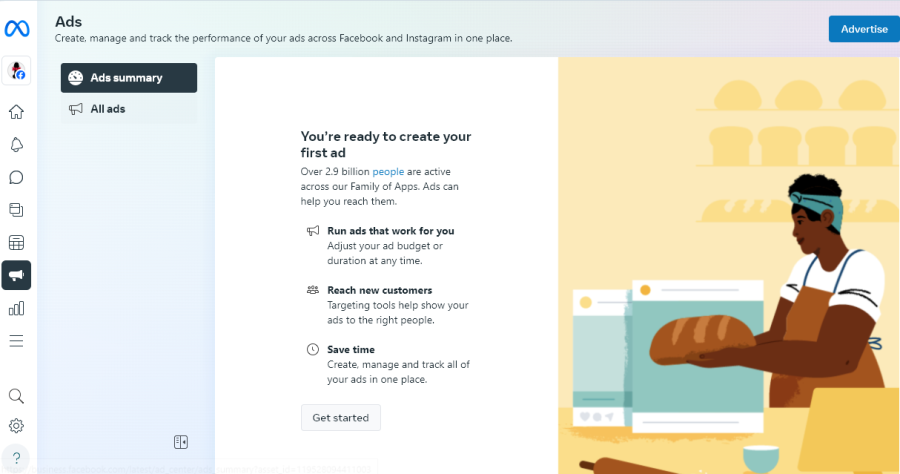
10. Go to the autoreg billing settings, refresh the page - No Hold!)
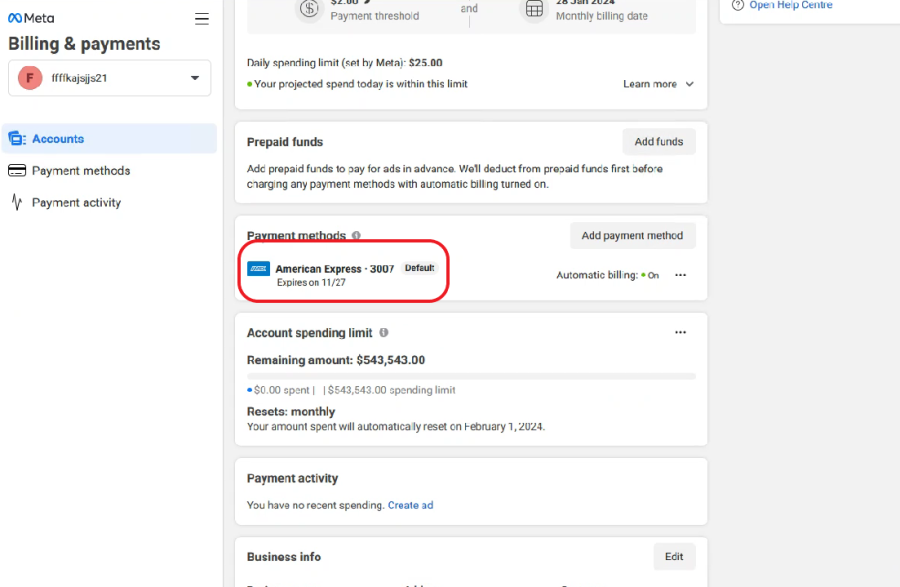
The scheme is, in some ways, quite unusual. Now the hold disappears after creating an ad in Business Suite, and there are several important nuances.
I will write about all these details in more detail:
- Link BM to an account or create one inside autoreg (pharma)
- We link the payment to the BM
- Go to the billing settings of the autoreg (pharma), link the card, and select it as the default payment method
- After the system has generated an error, we select BM as the default primary payment method.
- By clicking the “Approve Hold” button
- We reload the page and see that the system blocks the account due to the impossibility of writing off the hold and asks to update the payment card.
- Set a high billing limit
- Go to Business Suite at https://business.facebook.com/latest/home and create a post with a neutral picture.
- Go to https://business.facebook.com/latest/ad_center/ads_summary create a post and select Instagram placement with a budget of $25 per day send the post for review (in review)
- We go to the autoreg billing settings, refresh the page - No Hold!)
Since there are a lot of newbies among our users, we will go through this scheme step by step:
1. First, buy an account with BM, no matter whether it is King or autoreg.
2. Go to Business Manager and link the card
3. Go to the autoreg billing and link the card, we get a rejection
4. Select BM as the main means of payment for the advertising campaign
5. Go to the autoreg billing settings and confirm the “Hold Approve” hold, after confirming the hold, wait for the account to be banned for insufficient funds on the card.
6. Reload the page
7. In the autoreg billing, we increase the spending limit on the card
8. Go to Business Suite at https://business.facebook.com/latest/home and create a post with a neutral picture.
9. Go to https://business.facebook.com/latest/ad_center/ads_summary create a post and select Instagram placement with a budget of $25 per day send the post for review
10. Go to the autoreg billing settings, refresh the page - No Hold!)
